
Photojam · Cases
AI photo editing examples: products, apparel and local edits
Explore Photojam inputs and results for product scenes, virtual try-on, model replacement and local photo edits. Each example includes steps for your own image.
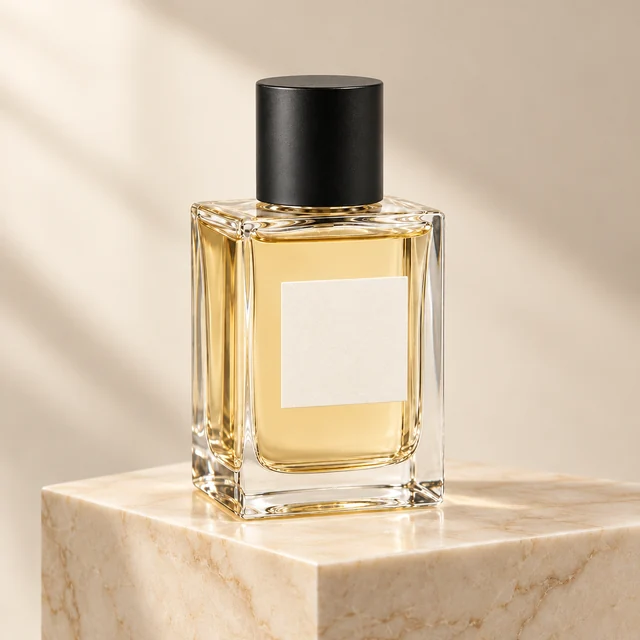
Perfume photography on a marble plinth
A clear bottle on a plain background becomes a product scene with a marble plinth and soft side lighting. Check the glass silhouette, cap and single-bottle composition.
Explore this case →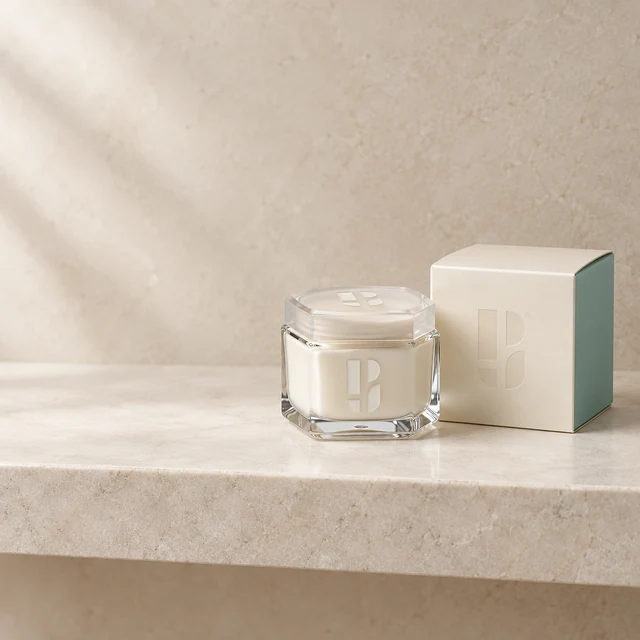
Skincare jar in a bathroom setting
A branded cream jar and carton become a light stone-shelf scene. Check both packages, the lid and the Photojam symbols on glass and cardboard.
Explore this case →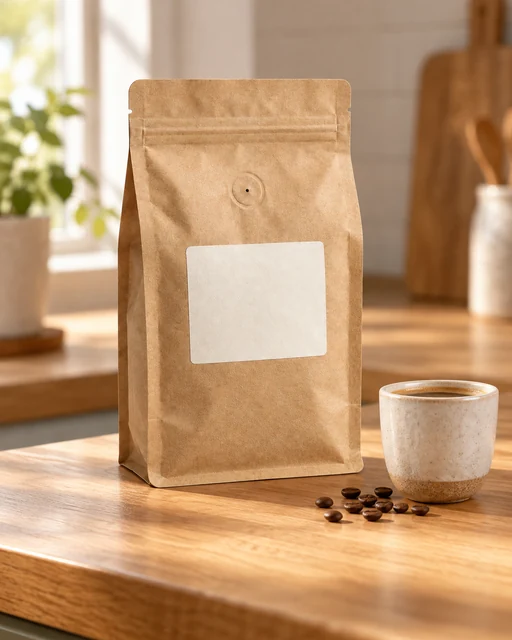
Coffee bag on a kitchen counter
Place a kraft coffee pouch on a kitchen counter in morning light. A cup and a few beans add context while the pouch shape, valve and blank label remain the important details.
Explore this case →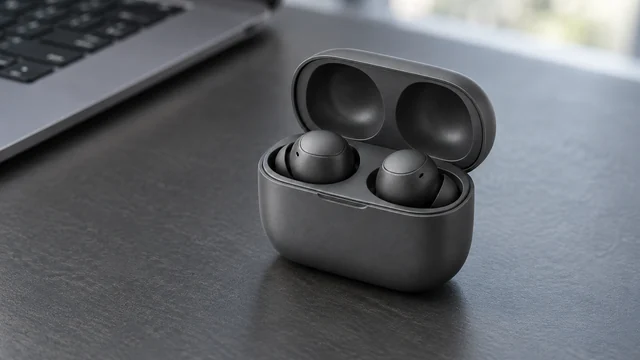
Earbuds on a workspace desk
Graphite earbuds in an open case become part of a workspace scene. The wide composition adds context while retaining two earbuds, the lid hinge and charging cavities.
Explore this case →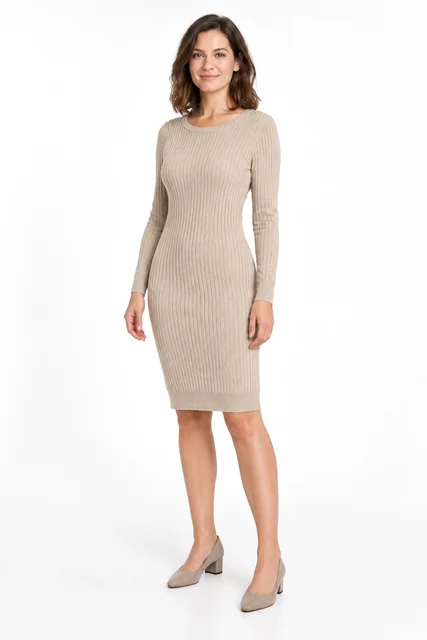
Knitted dress on a model
Try a beige knitted dress from a flat lay on an adult AI model. This task needs two images: the garment and the person. Compare ribbing, neckline, sleeves and facial appearance.
Explore this case →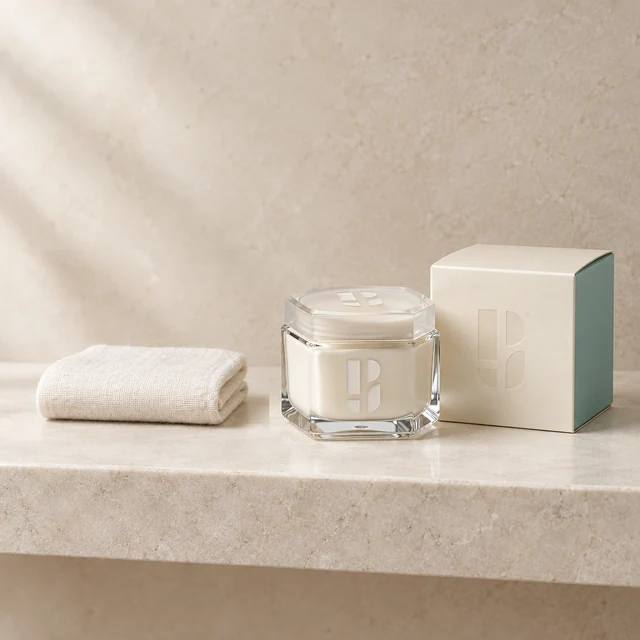
Add a towel beside skincare
Add a small ivory towel to empty shelf space beside the cosmetics. Select the empty area and keep the jar, carton and brand symbols outside the edit.
Explore this case →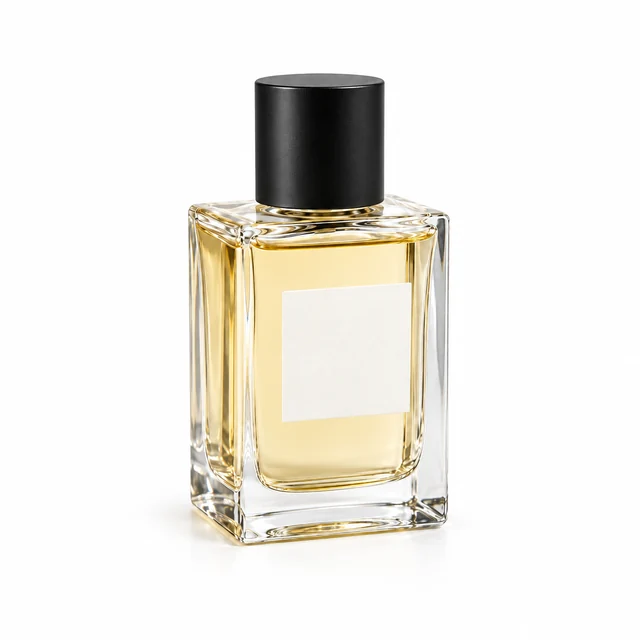
White background with a contact shadow
Create a white background and a short soft shadow beneath a clear bottle. Unlike a styled scene, the focus stays on the product and its contact with the surface.
Explore this case →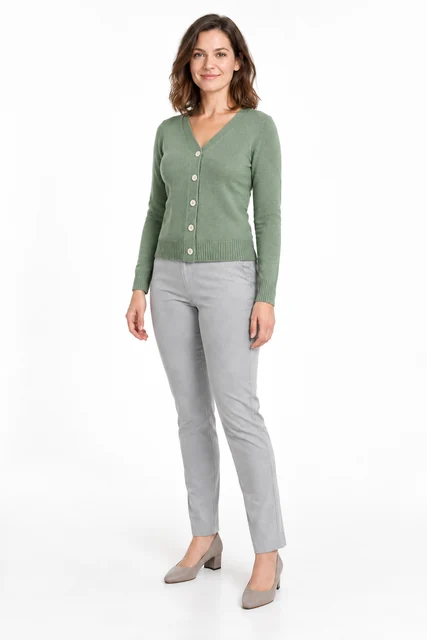
Change a person into a cardigan
Change a grey top to a sage cardigan using a separate garment image. This accepted example uses garment try-on with a cardigan, a model and instructions for the outfit to retain.
Explore this case →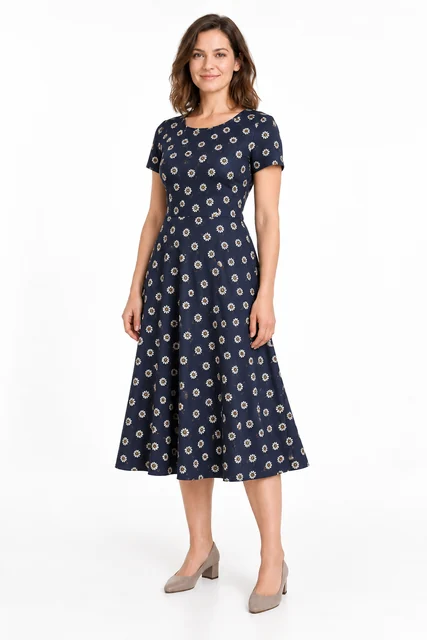
Try on a patterned dress
Try a navy daisy-print dress on an adult AI model. Check print scale, short sleeves, the waist seam and flared skirt.
Explore this case →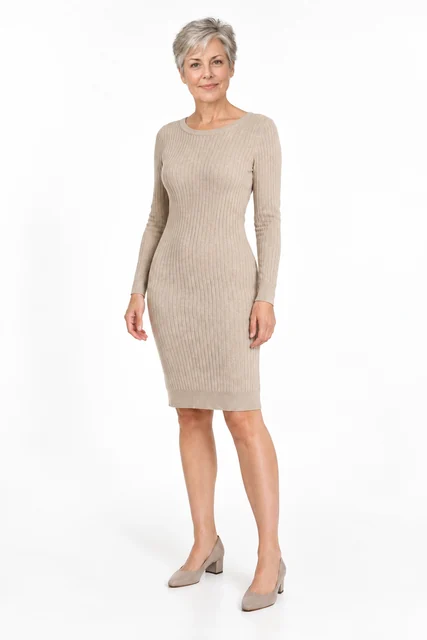
Update a catalog with a mature model
Change the model in an existing dress photo using a portrait of an adult woman with short grey hair. Inspect the garment, shoes and studio setting separately from the face.
Explore this case →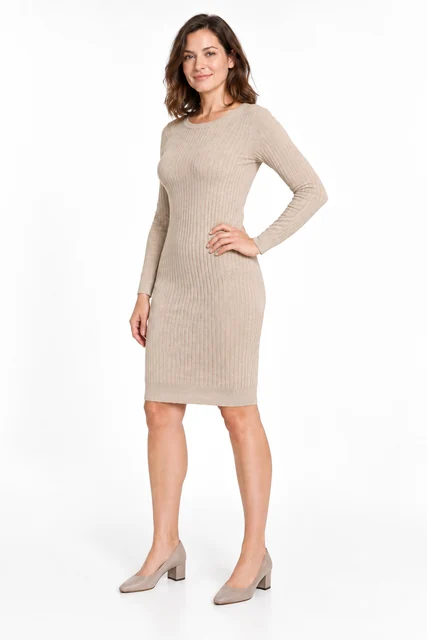
Dress in a three-quarter pose
Change a front-facing dress pose to a three-quarter turn with a bent arm. The reference controls body position while the source defines the garment, model and lighting.
Explore this case →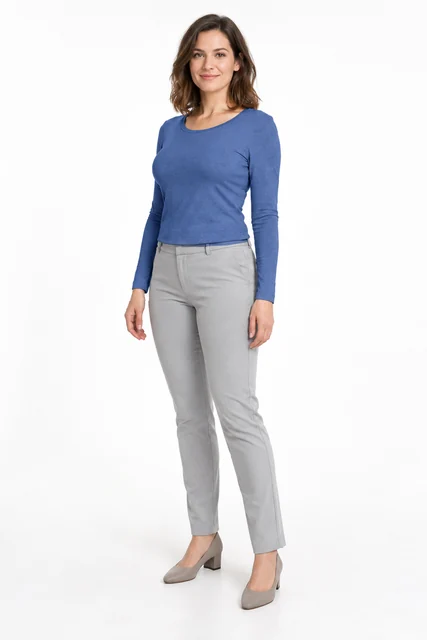
Change clothing colour with a mask
Recolour the complete long-sleeve top to blue through a selected area. Retain its cut and folds while protecting the face, hands, trousers and background.
Explore this case →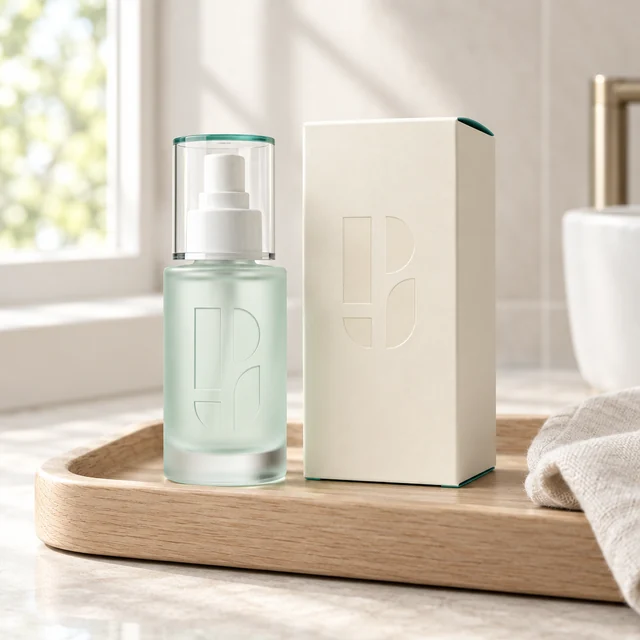
Branded serum on a vanity tray
A frosted dispenser bottle and Photojam carton in a light setting: retain the symbols and packaging, add pale wood and morning light.
Explore this case →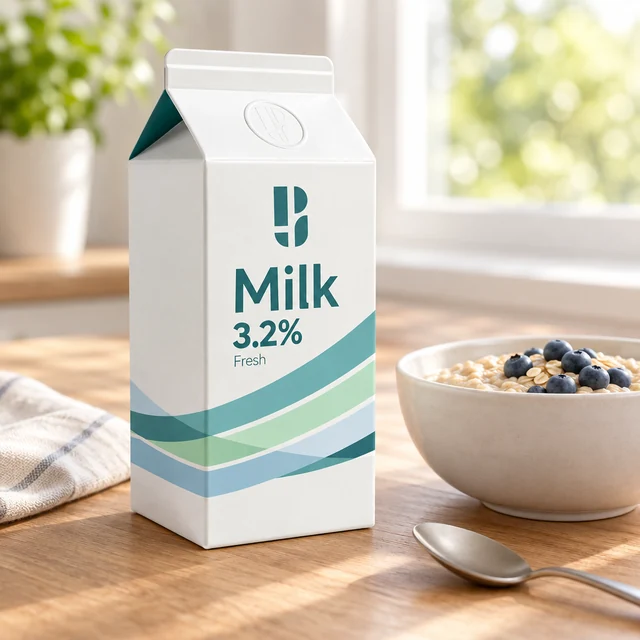
Milk packaging in a breakfast scene
A Photojam milk carton beside oatmeal and a spoon: a morning storefront image with checks for shape, symbol and original packaging text.
Explore this case →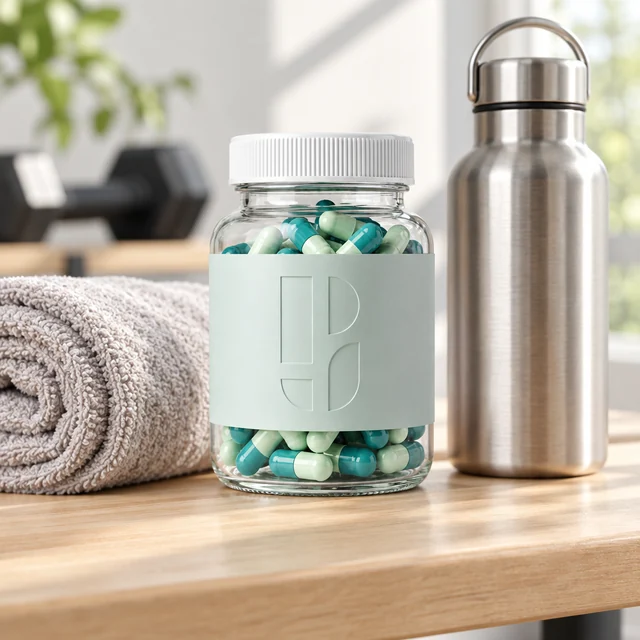
Clear supplement jar in a fitness setting
A clear Photojam capsule jar with a towel and water bottle. A product scene focused on glass, contents and the packaging symbol.
Explore this case →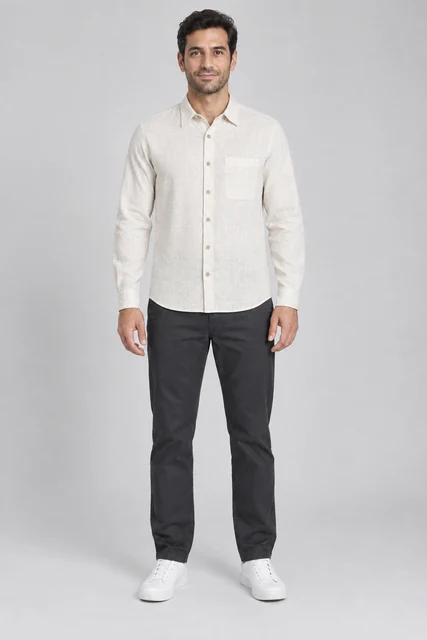
Men’s linen shirt on an AI model
Try an off-white linen shirt on an adult male model: compare the collar, chest pocket, buttons and fabric texture.
Explore this case →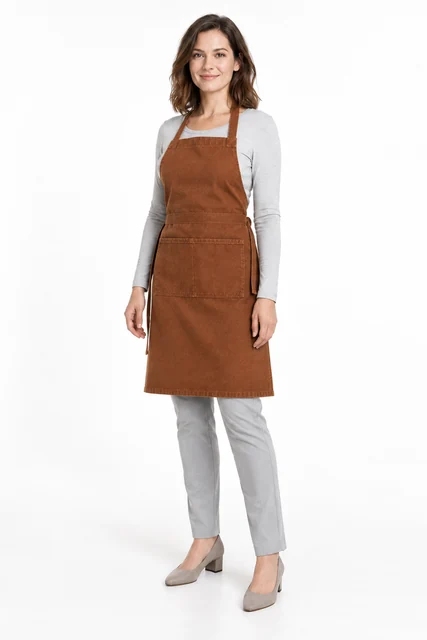
Work apron on a model
Transfer a flat-lay apron onto a model. Inspect its neck loop, ties and divided pocket over the base outfit.
Explore this case →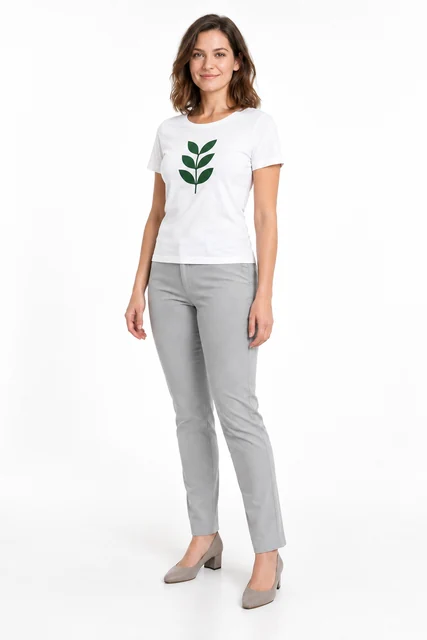
Printed T-shirt on an AI model
A white T-shirt with a green leaf print on a model. Inspect the graphic separately from the garment shape and fabric folds.
Explore this case →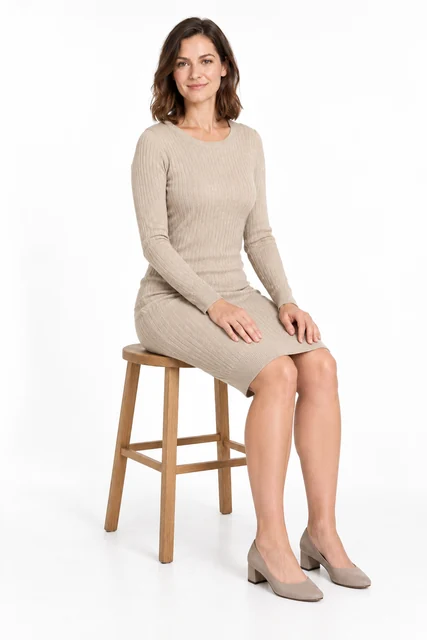
Dress on a model in a seated pose
Transfer a standing dress photo to a seated reference pose. Compare the face, knit dress, hands, folds and leg position.
Explore this case →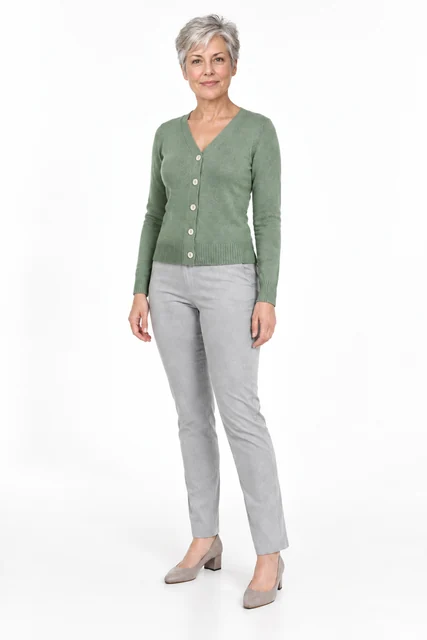
Model replacement in a cardigan photo
Replace the model in an existing cardigan photo. Inspect the V-neck, five buttons, sleeves and base outfit.
Explore this case →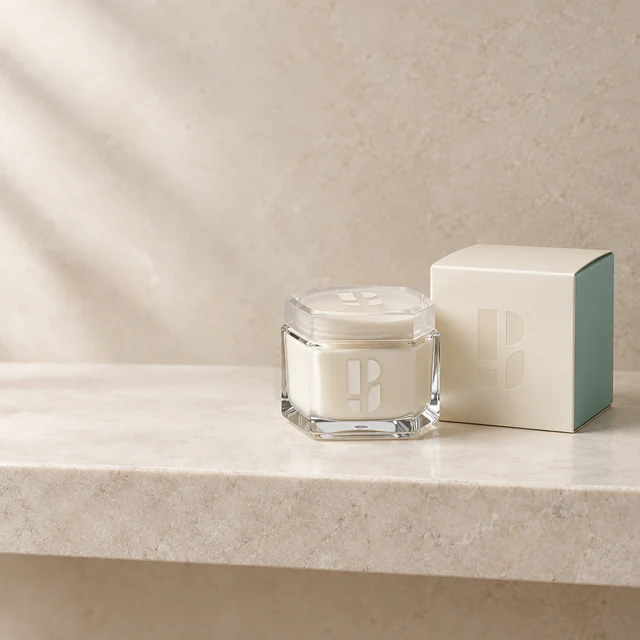
Remove a towel from a product photo
Remove a towel and its shadow beside cosmetics. Restore an empty stone shelf while keeping the jar and carton outside the selection.
Explore this case →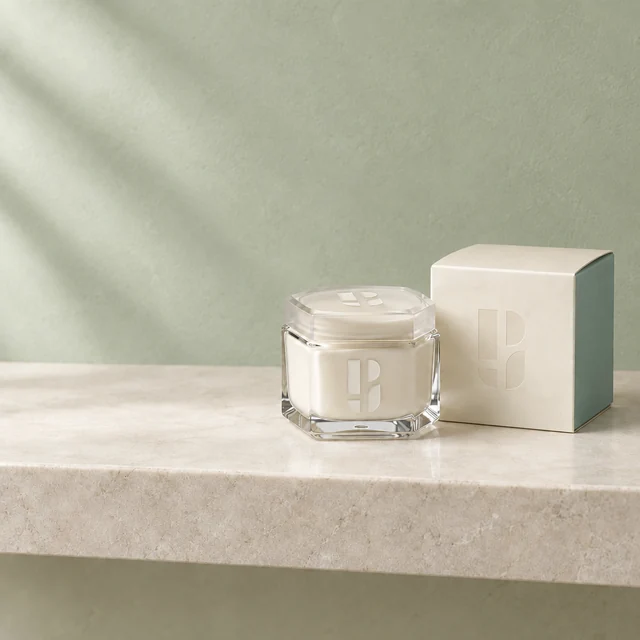
Change wall colour in a product photo
Change a beige wall to muted green. This example selects the whole frame, retaining packaging, shelf and composition through instructions and review.
Explore this case →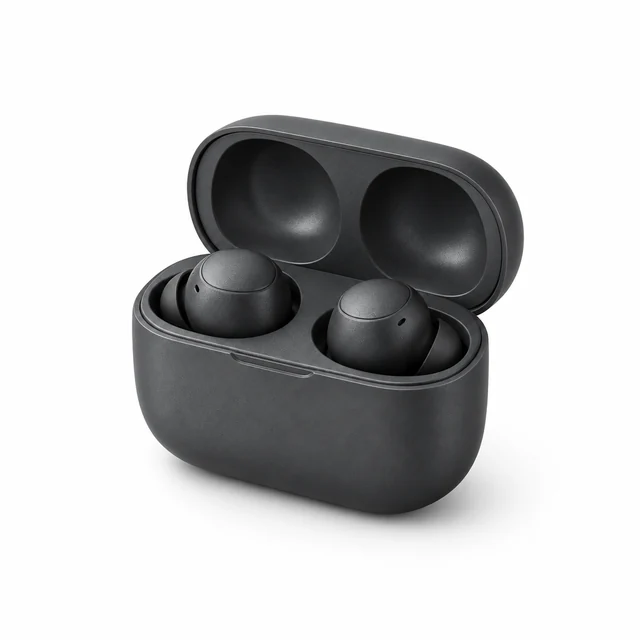
Dark earbuds on a white background
Graphite earbuds and an open case on clean white. A soft shadow shows surface contact while retaining highlights and housing details.
Explore this case →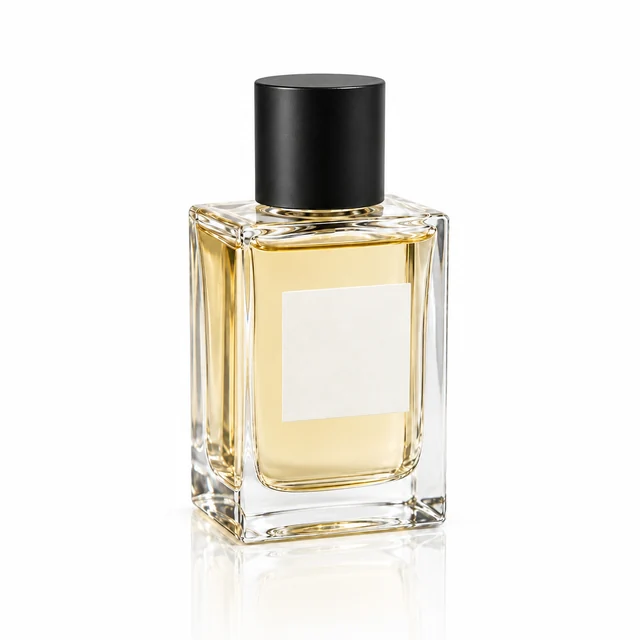
Perfume reflection on a glossy surface
A clear bottle on white gloss with a fading reflection. Check the single product, glass and surface contact.
Explore this case →Choose the task behind the image
A product scene changes the setting around an item. Try-on places a separate garment on a model. Model replacement starts from an existing apparel photo, while pose transfer adds a body-position reference. A selected-area editor handles small changes. Each task needs different inputs, so the cases explain them separately.
Choose a category, compare the inputs and result, then copy the description and repeat the task with your own image. Visible inputs make it clear when one product photo is enough and when a garment, model or reference is required.
How to judge an AI result
Check the item first: package shape, logo, closures, print and component count. Then inspect lighting, shadows, edges, hands and faces. An appealing setting does not replace a product-identity check.
These are demonstrations using synthetic images, not customer testimonials. The format, instructions and checks describe the displayed result. Use real photos for your store and compare details before publishing.