
Photojam · Cases
Virtual garment try-on, model replacement and pose transfer
AI try-on and outfit examples for dresses, shirts, a cardigan, printed T-shirt and apron. Compare garment inputs, model references and results, then follow the steps.
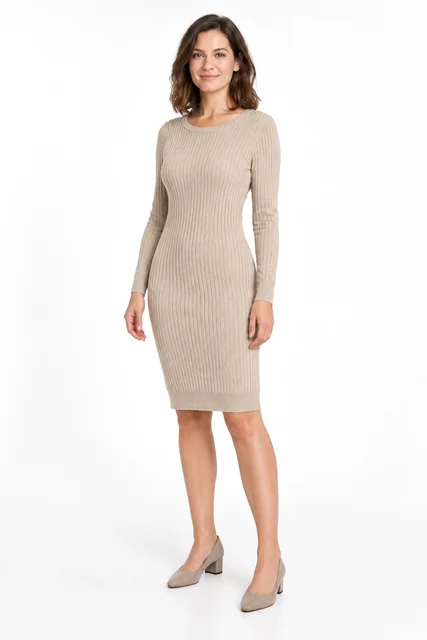
Knitted dress on a model
Try a beige knitted dress from a flat lay on an adult AI model. This task needs two images: the garment and the person. Compare ribbing, neckline, sleeves and facial appearance.
Explore this case →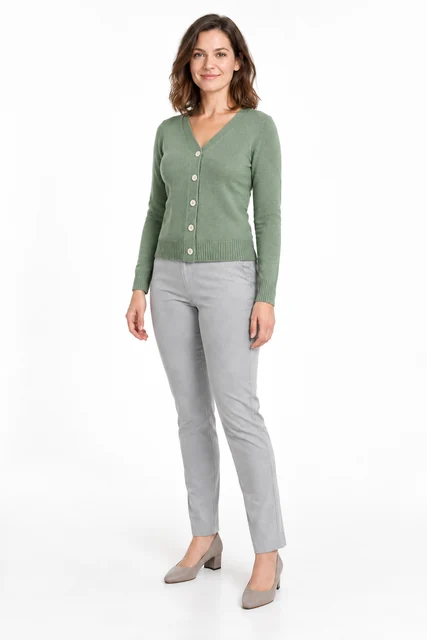
Change a person into a cardigan
Change a grey top to a sage cardigan using a separate garment image. This accepted example uses garment try-on with a cardigan, a model and instructions for the outfit to retain.
Explore this case →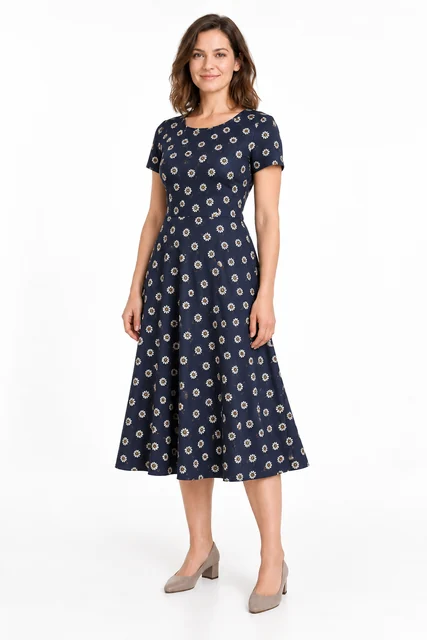
Try on a patterned dress
Try a navy daisy-print dress on an adult AI model. Check print scale, short sleeves, the waist seam and flared skirt.
Explore this case →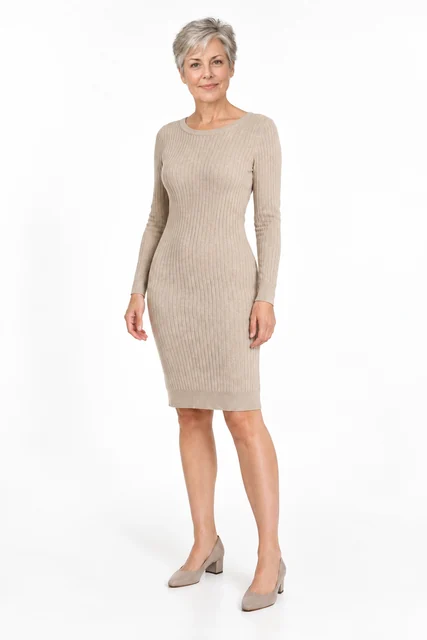
Update a catalog with a mature model
Change the model in an existing dress photo using a portrait of an adult woman with short grey hair. Inspect the garment, shoes and studio setting separately from the face.
Explore this case →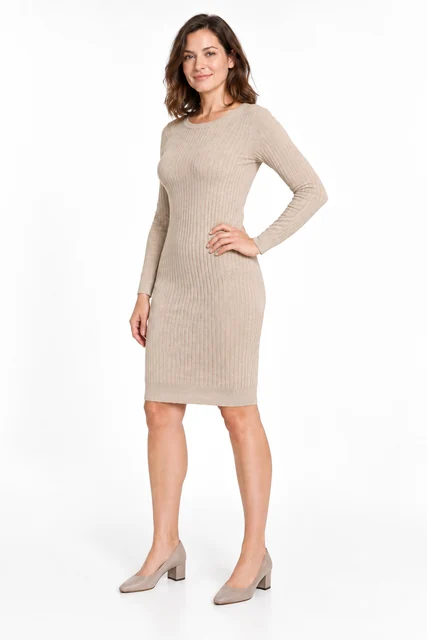
Dress in a three-quarter pose
Change a front-facing dress pose to a three-quarter turn with a bent arm. The reference controls body position while the source defines the garment, model and lighting.
Explore this case →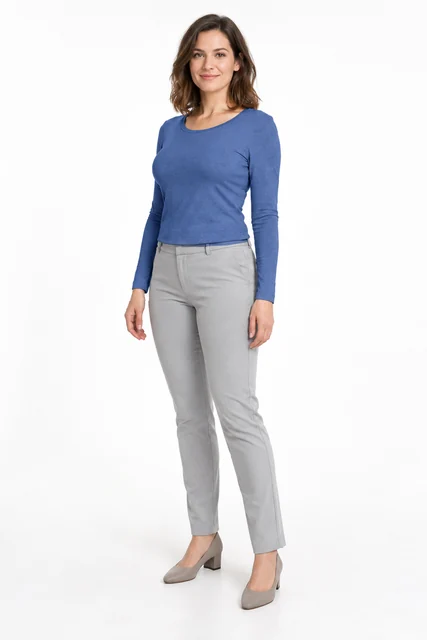
Change clothing colour with a mask
Recolour the complete long-sleeve top to blue through a selected area. Retain its cut and folds while protecting the face, hands, trousers and background.
Explore this case →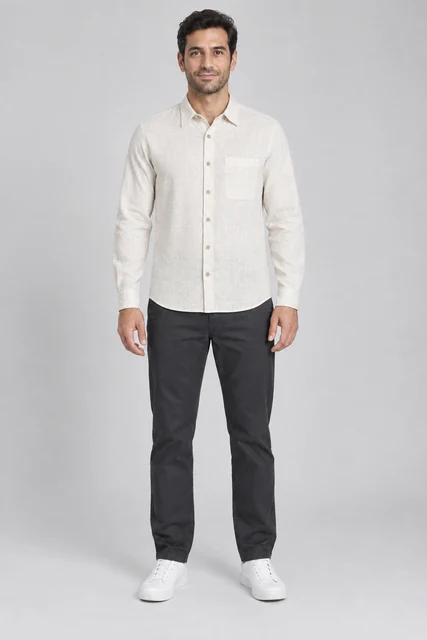
Men’s linen shirt on an AI model
Try an off-white linen shirt on an adult male model: compare the collar, chest pocket, buttons and fabric texture.
Explore this case →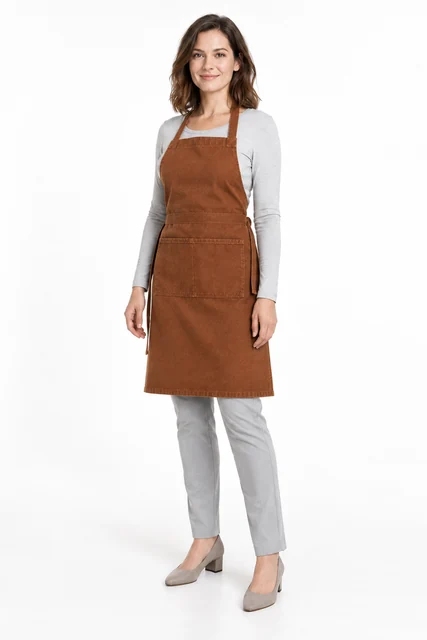
Work apron on a model
Transfer a flat-lay apron onto a model. Inspect its neck loop, ties and divided pocket over the base outfit.
Explore this case →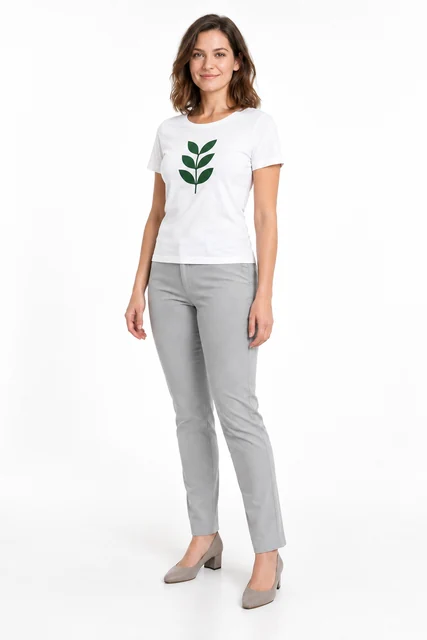
Printed T-shirt on an AI model
A white T-shirt with a green leaf print on a model. Inspect the graphic separately from the garment shape and fabric folds.
Explore this case →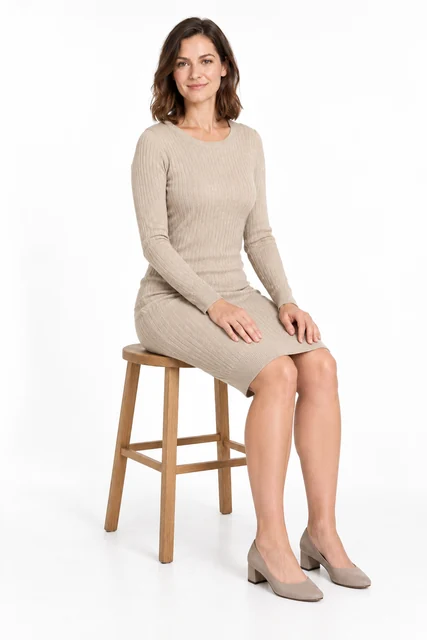
Dress on a model in a seated pose
Transfer a standing dress photo to a seated reference pose. Compare the face, knit dress, hands, folds and leg position.
Explore this case →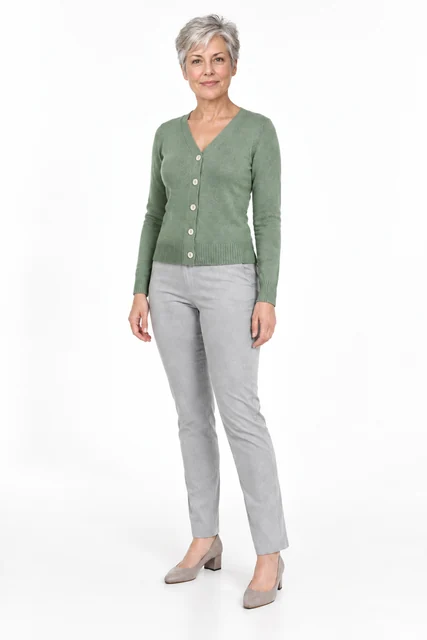
Model replacement in a cardigan photo
Replace the model in an existing cardigan photo. Inspect the V-neck, five buttons, sleeves and base outfit.
Explore this case →Try-on and model replacement need different inputs
Virtual try-on uses a separate garment photo and an adult model image. Show the neckline, sleeves, fastenings and hem completely. A flat lay on a plain surface helps you compare construction: count buttons or inspect a printed motif.
In model replacement, the first image already shows the worn garment and the second defines the new appearance. Pose transfer keeps the source outfit and person while a separate reference specifies body position. Each case explains the role of its inputs.
What to inspect on an AI model
Compare sleeve length, neckline, pockets, knit texture, closures and print. A new pose changes folds and which parts of the fabric are visible. Inspect hands, elbows, face and hair at full size.
Try-on can help prepare apparel catalogue visuals and compare presentation on different models. The image does not measure real size or fit. For a colour change or a small detail, explore local editing examples.